
For seminars
EventIQ Seminars · built as SeminarIQ
Every ticket gets a link. Every link carries the waiver.
A page for the seminar behind a QR code, a private link for every ticket, a door list on a phone, and the meet-and-greet photographs delivered to the people in them.
For the organiser
Build the seminar page
The coach, the date, the venue, the timetable, each ticket tier and exactly what it includes, the rules for the day, the sponsors, and a link back to your own shop.
Import the orders from Shopify
Export the orders as a CSV and drop it in. One attendee per ticket, so an order for three is three links. Importing the same file again changes nothing, and every row not used is listed with the reason.
Chase the waivers
Tickets per tier and who has signed, with a message to copy or an email to open for everybody still to sign. The meet-and-greet queue is worked out from the tickets, top tier first.
Check them in on the door
Search by name or order number on a phone and mark them arrived. Waiver status and priority access show at a glance, with the health note there for the desk.
Send the photos afterwards
Upload the meet-and-greet photographs. One named after an order number is assigned to the tickets on that order by itself; the rest are assigned by search.
For the attendee
No app and no account: one private link per ticket, from the order they already placed.
- What their ticket includes
- Their tier and everything that comes with it, the timetable, and the rules for the day.
- The waiver, before the day
- Only what the session needs. Somebody training is asked about injuries and an emergency contact; a spectator is asked nothing about health. The filming choice has no default.
- Their place in the queue
- Where they are in the meet-and-greet and roughly when, clearly marked as an estimate.
- Their photographs
- The meet-and-greet photographs arrive on the same link afterwards. Only the people assigned to a photograph can download it.
Hype clips from the seminar's own details
The headline coach announced in three looks, stamp, poster and broadcast, and a countdown to the day. Vertical, for stories and reels, built from the seminar page: change a detail and the clips change with it. They are previewed on the dashboard and rendered to video for the organiser's own feeds; rendering straight from the dashboard is coming.
CountdownA countdown clip: the days to go, the date, then the coach and the venue
What it looks like
Captured from SeminarIQ running on the invented example, at phone width. The organiser's screens say SeminarIQ because that is the app they come from.
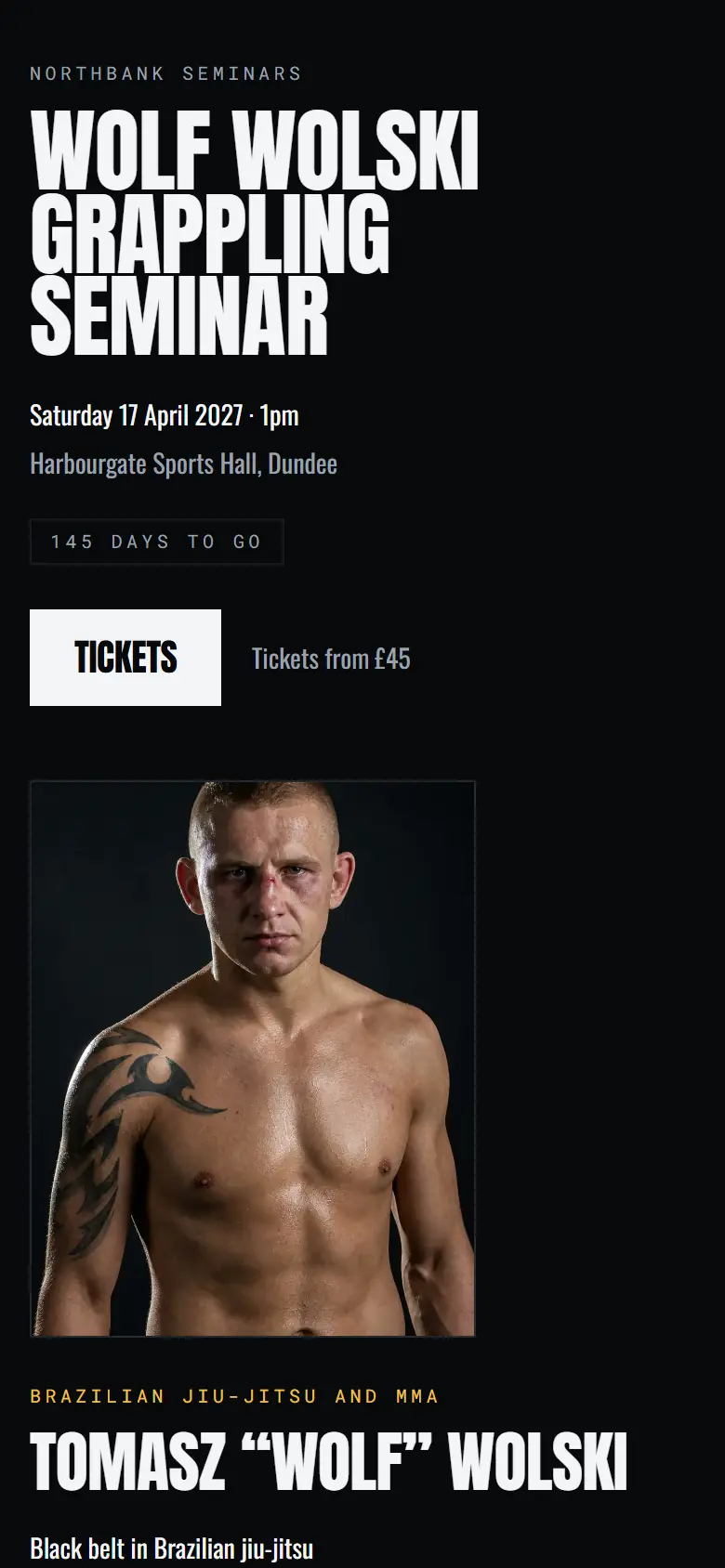
The seminar pageBehind the QR code: the coach, the date, the venue and a link to the tickets. 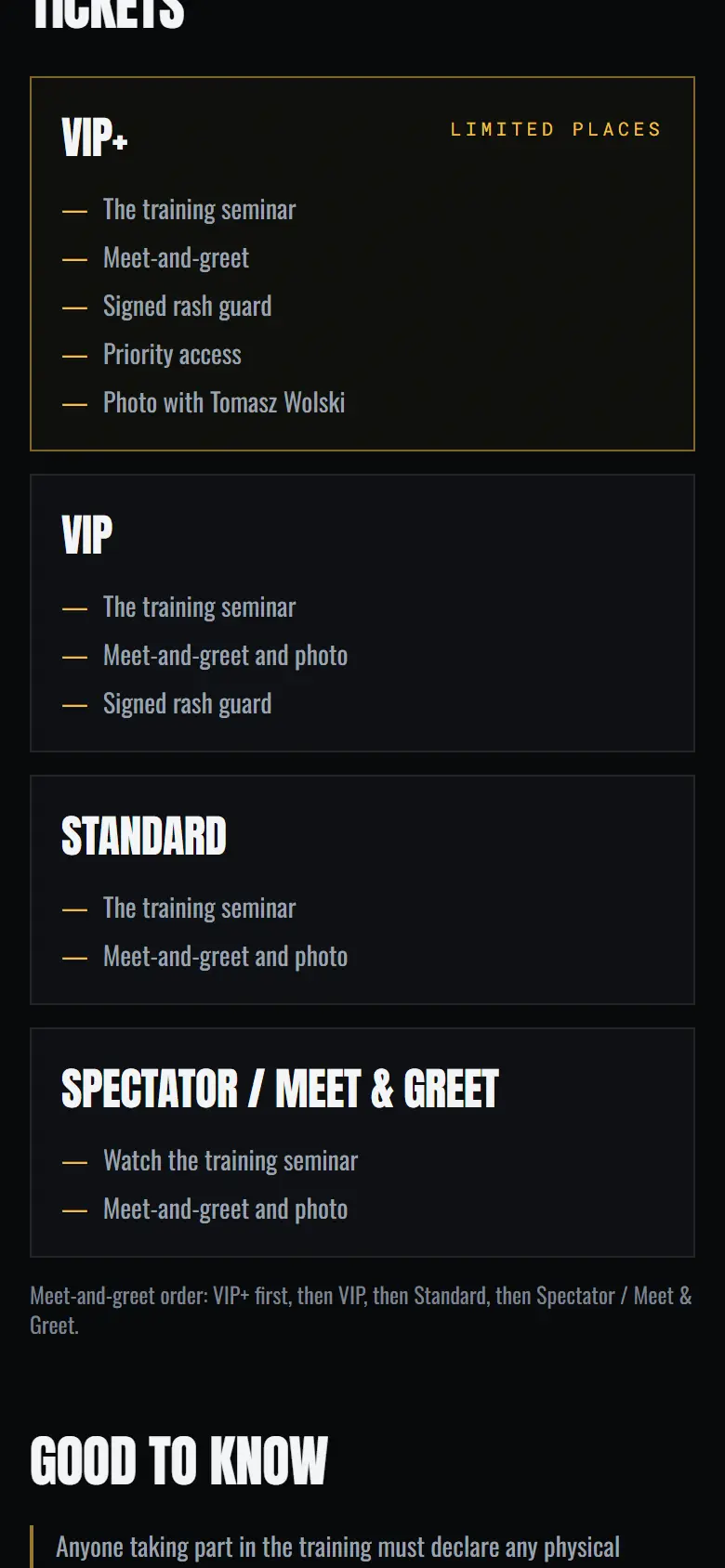
What each ticket includesEvery tier and everything in it, so nobody has to ask. 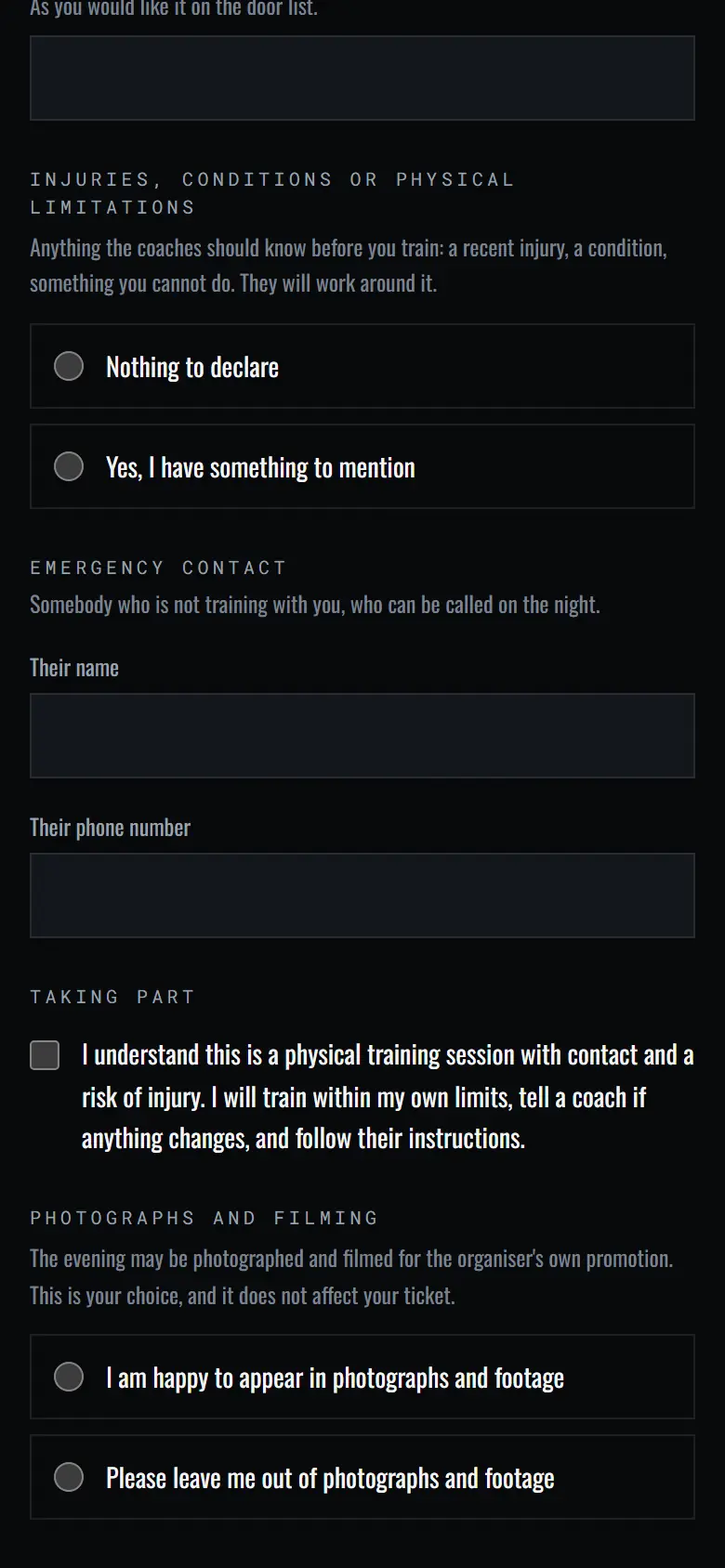
The attendee's linkThe waiver and health declaration, asked once, on their phone. 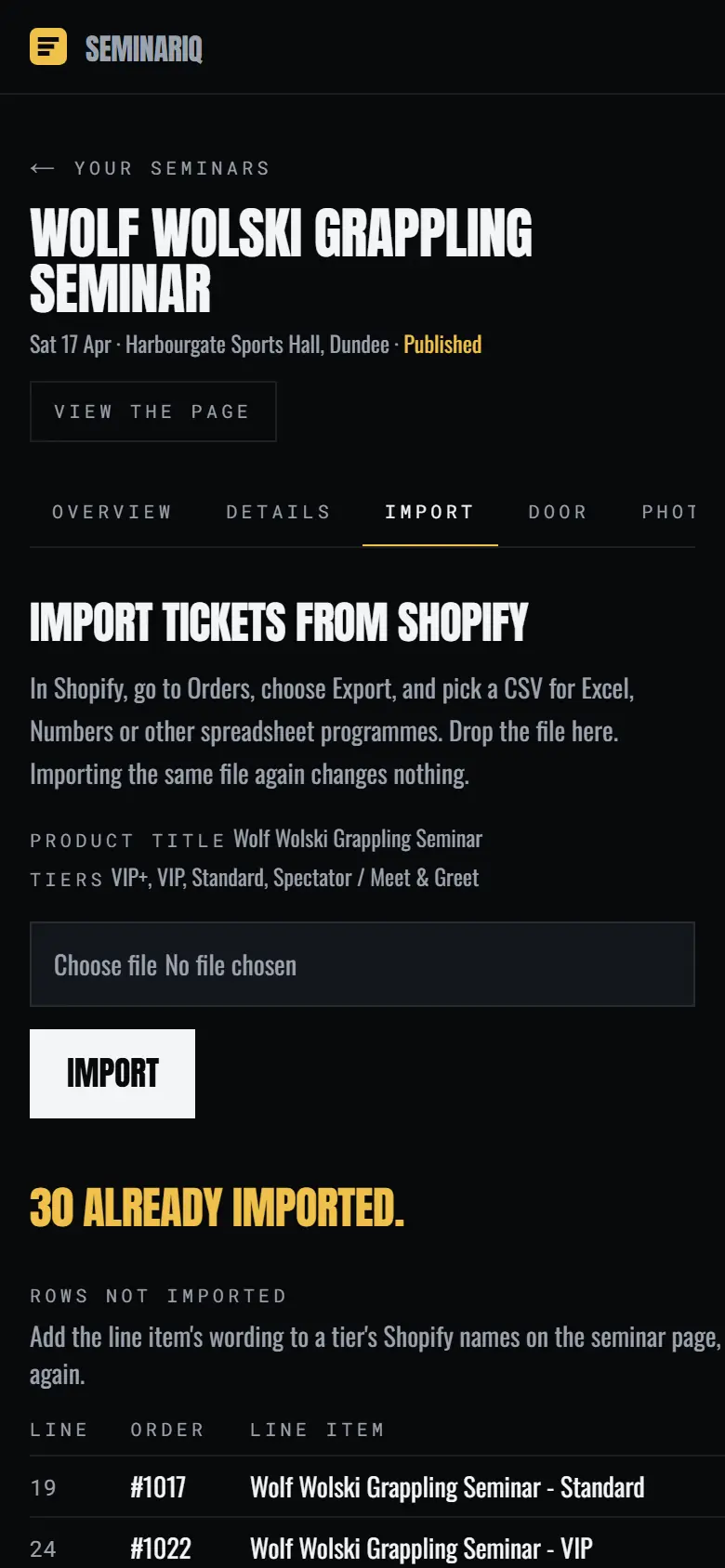
The Shopify importThe same file twice changes nothing; what was not used is listed with the reason. 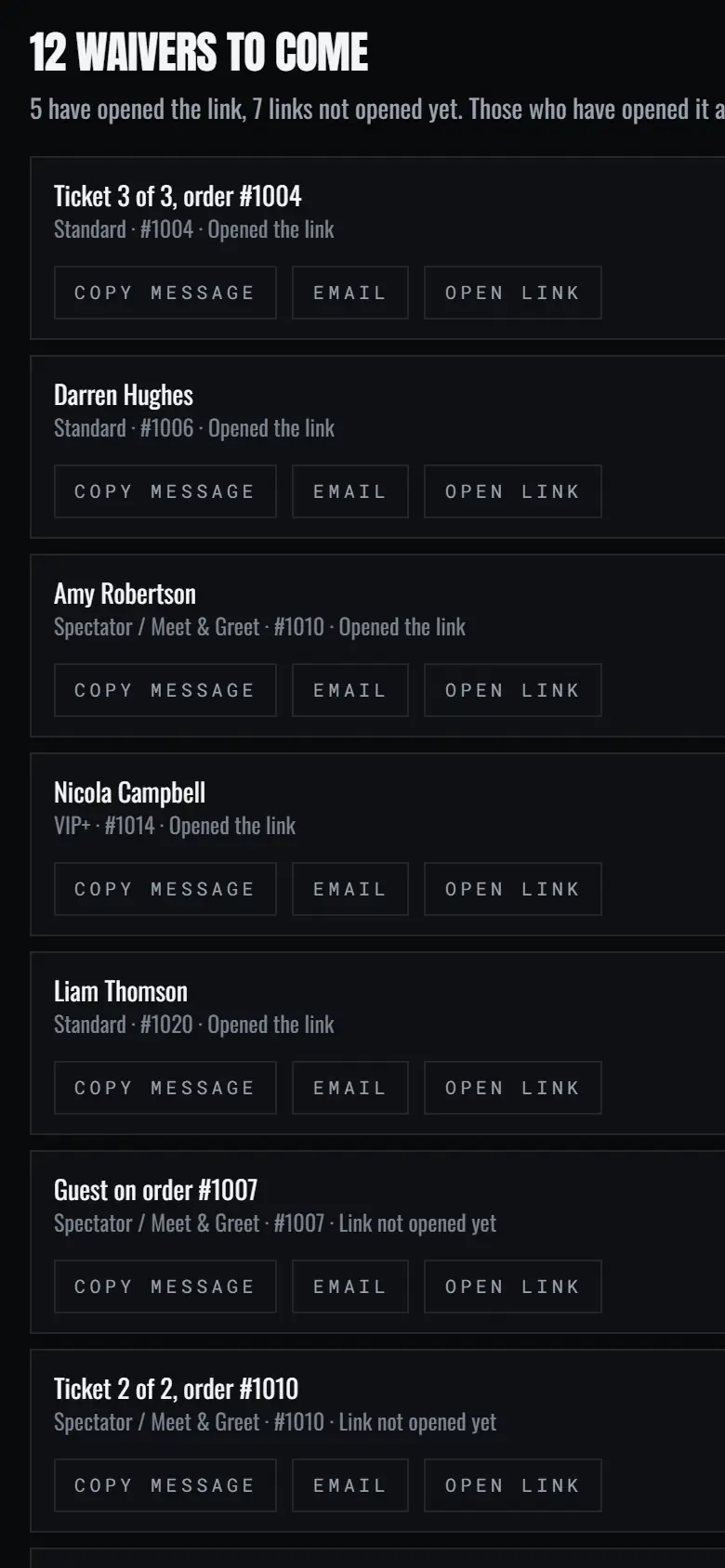
The waiver chase listWho has opened their link and who has not, with a message to send to each. 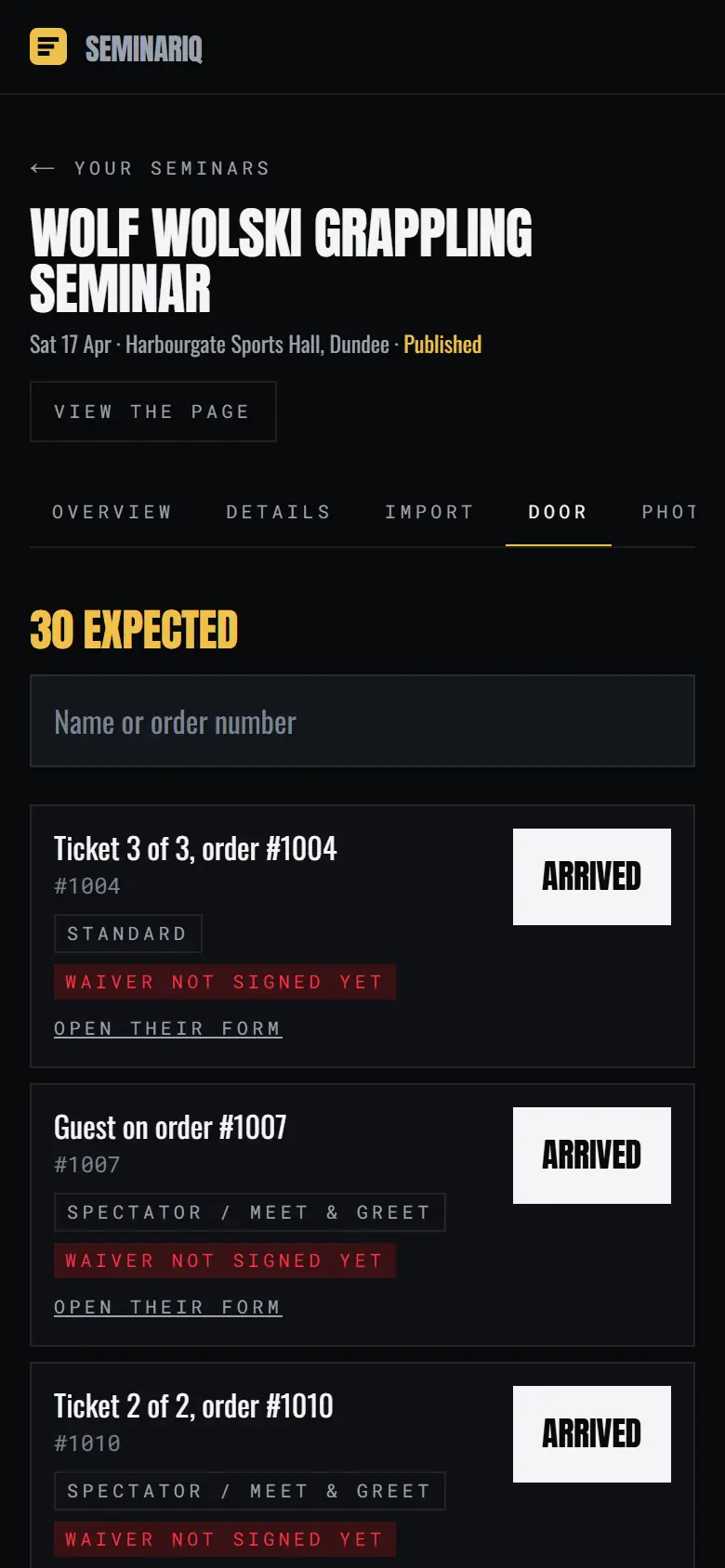
The doorSearch, tap Arrived, and see whose waiver is still to come.
A sponsor on the page and on every clip
Seminar sponsors sit on the seminar page in front of everybody who scans the code or opens the page, and on the closing card of every hype clip the organiser posts.
Afterwards the organiser prints a one-page report from real counts: page views, distinct visits and taps on each sponsor. With nothing counted yet it says so rather than printing noughts as though they were results.
Ask the person who showed you this
Both are built and set up by hand for each organiser, so there is no sign-up form. Ask whoever showed you EventIQ and they will set yours up.
EventIQ for fight nightsNorthbank Seminars, the Wolf Wolski Grappling Seminar, Harbourgate Sports Hall and every attendee on this page are invented, and Tomasz Wolski is one of the invented fighters from the EventIQ demo card. Mouthguards.pro is a real sponsor. The code on each clip points back to this page.